


Description
Most important instruction:
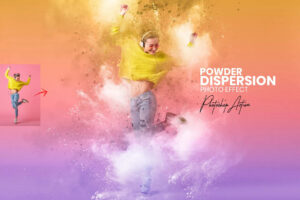
(1) First open an image in Photoshop. Now you need resize your image. For resize image select crop tools and go top menu bar you see W x H x Reso three blank boxes. Write W 3000px, H 2000px, Resolution 72. Then press enter button.
(2) Open your photo Create a new layer then rename “paint” (in lowercase). Then select a soft brush and paint your subject focus area. Close “paint” layer eye and keep selection “paint” layer then click action play button.
Products information & File Include:
- ATN File included (Photoshop Action File)
- Brush File
- Well-documented instructions included
- Easy to use one-click actions
- Professional results and very easy to use
- You can Edit All layers Easily
- All layers are organized, named, and placed in groups to have complete control over each layer and each group.
- All layers are organized, named, and placed in groups to have complete control over each layer and each group.
- My Working Software Version: CC2015.5 English Version.
- This action has been tested and working on Photoshop CC2022 English Version. Software supported version: CS6, CC,CC2014, CC2015, CC2015.5, CC2016, CC2017, CC2018, CC2019, CC2020,CC2021,CC2022 English Version.
- These actions can use Your Design on both Mac and Windows versions of Photoshop. on Mac and Windows versions.
PRODUCT TERMS:
- The product is delivered as an instant download once you place your order.
- All the actions can be used for both personal and commercial purposes, for yourself or on behalf of a client, or as part of your new design for sale.
- The products cannot be resold, shared, transferred, or otherwise redistributed on their own.



Reviews
There are no reviews yet.